 MARCELO
Movies, TV and anime
A mixed archive is presented as a coherent visual library instead of a collection of unrelated folder trees.
04 · EasyFlix 1.4 · Windows desktop · Local-first media
A polished Windows media library that turns legally acquired movie, TV and anime files into a streaming-style experience while keeping the filesystem authoritative and the original media untouched.
The idea
My media collection already lived across several drives. I did not want another system that required reorganizing everything into a proprietary folder structure just to get a clean interface.
EasyFlix sits on top of the files instead. It discovers configured sources read-only, keeps Online / Offline / Missing state explicit, and presents movies, TV and anime through a refined desktop interface without treating the source archive as disposable.
The result is a local-first streaming-style experience built around files the user already controls.
Real EasyFlix UI
These captures come from the validated EasyFlix desktop build and show the actual local-first browsing experience used during development and release acceptance.
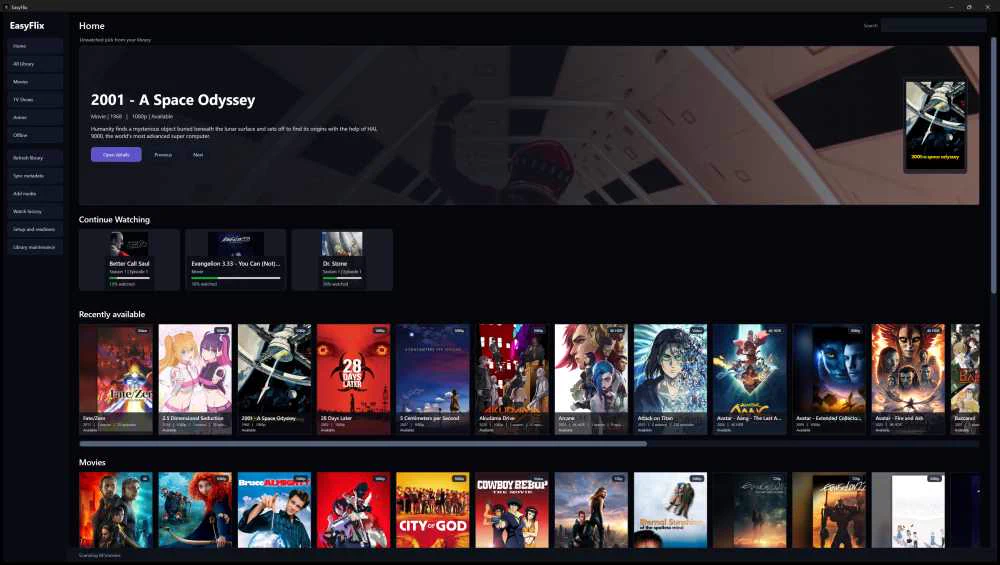
Cached-first browsing, a featured title, Continue Watching and local library shelves in the real Windows application.
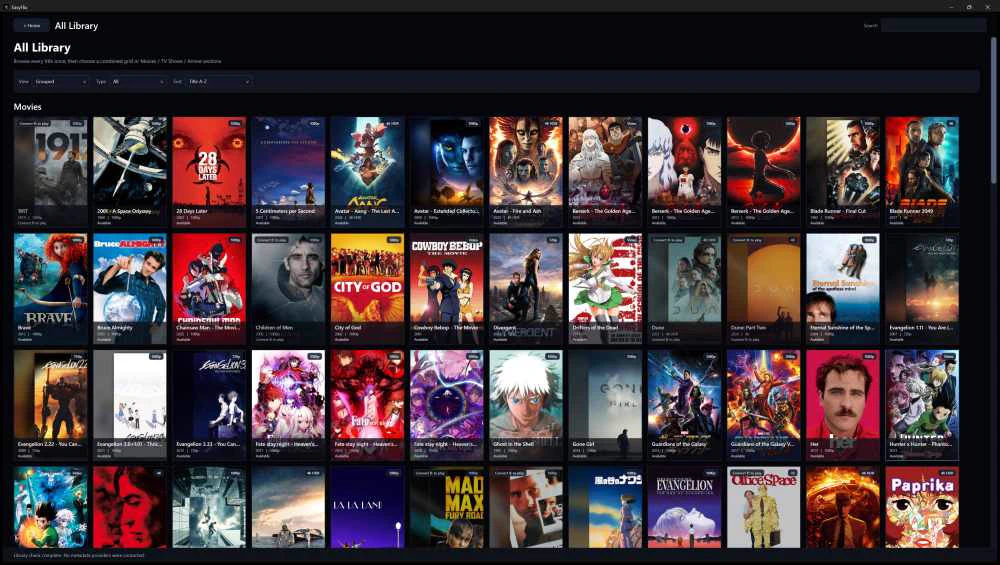
A dense mixed collection remains visually browsable without moving or rewriting the source media.
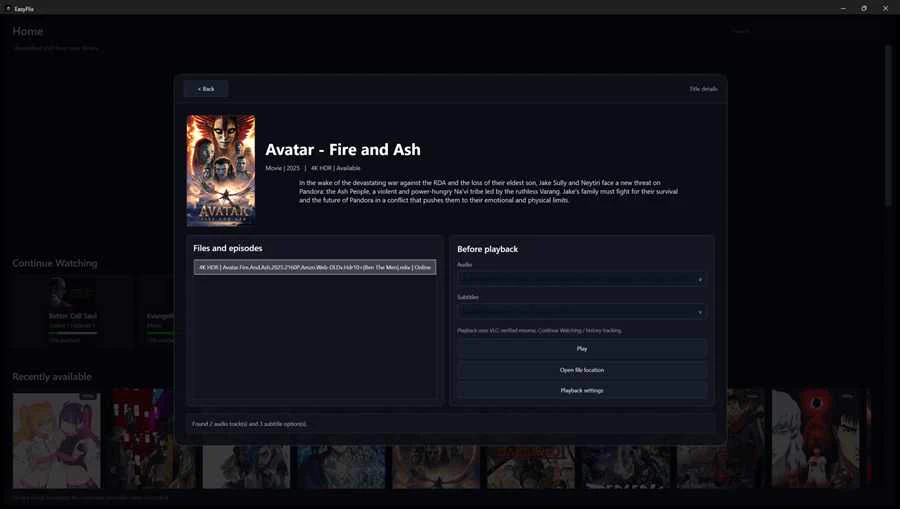
Focused title details and playback controls stay inside the browsing context instead of replacing the entire application.
Core workflow
Normal library maintenance stays local. Network metadata is an explicit Sync Metadata action rather than a hidden startup dependency.
Refresh is local-only. Provider metadata sync is explicit. Original media remains authoritative at its source path.
Product experience
A mixed archive is presented as a coherent visual library instead of a collection of unrelated folder trees.
Configured roots can live across several drives, with Online / Offline / Missing state kept explicit rather than guessed.
Selected media expands into a richer in-window details experience while preserving the main browsing context.
Resume progress, Continue Watching, deterministic episodic Up Next and Watch History make the library useful day to day.
Explicit provider sync enriches titles without making browsing depend on network access or weak automatic guesses.
Embedded and sidecar tracks are inspected first, with safe optional provider and local transcription workflows available when needed.
EasyFlix 1.4
The 1.4 pass is not just visual polish. It makes the application easier to understand and maintain months later.
Built-in guidance explains movie, TV, anime and special naming, roots, Refresh, metadata sync, poster composition and troubleshooting.
The app can copy its own durable intake rules so an ordinary future AI chat can help without reconstructing project history.
A sanitized text handoff can be exported without private drive letters or library paths, making future assistance portable.
The EasyFlix mark now uses a transparent multi-size Windows icon validated on the real Desktop, installer and portable build.
The interface paints quickly while more expensive local reconciliation stays bounded and background-friendly.
Motion and scrolling avoid expensive per-frame layout work so polish does not come at the cost of responsiveness.
Real-library validation
The final catalog gate was measured against a real multi-drive library rather than a toy fixture.
Engineering evidence
EasyFlix 1.4.0 is publicly released under MIT from a privacy-sanitized clean-history source snapshot. The release passed the full 219-test suite and Release build, and the installer/portable artifacts were re-downloaded from GitHub and hash-verified after publication.
EasyFlix 1.4.0 is publicly released under MIT from a sanitized clean-history source snapshot. Installer, portable build and SHA256SUMS are live and round-trip verified.
1.4.0 released
EasyFlix 1.4.0 is available as a per-user installer and portable win-x64 build, with MIT-licensed public source and SHA-256 checksums on GitHub.
Windows distribution
EasyFlix 1.4 keeps the self-contained portable option while adding a per-user Windows installer with Desktop, Start Menu, Add/Remove Programs, uninstall/data-preservation and handoff-association lifecycle validation.